
X-Poker for Windows
Play AMG on the big screen with resizable tables and room for multi-tabling, right from your Windows PC.
Official installer link from the AMG concierge
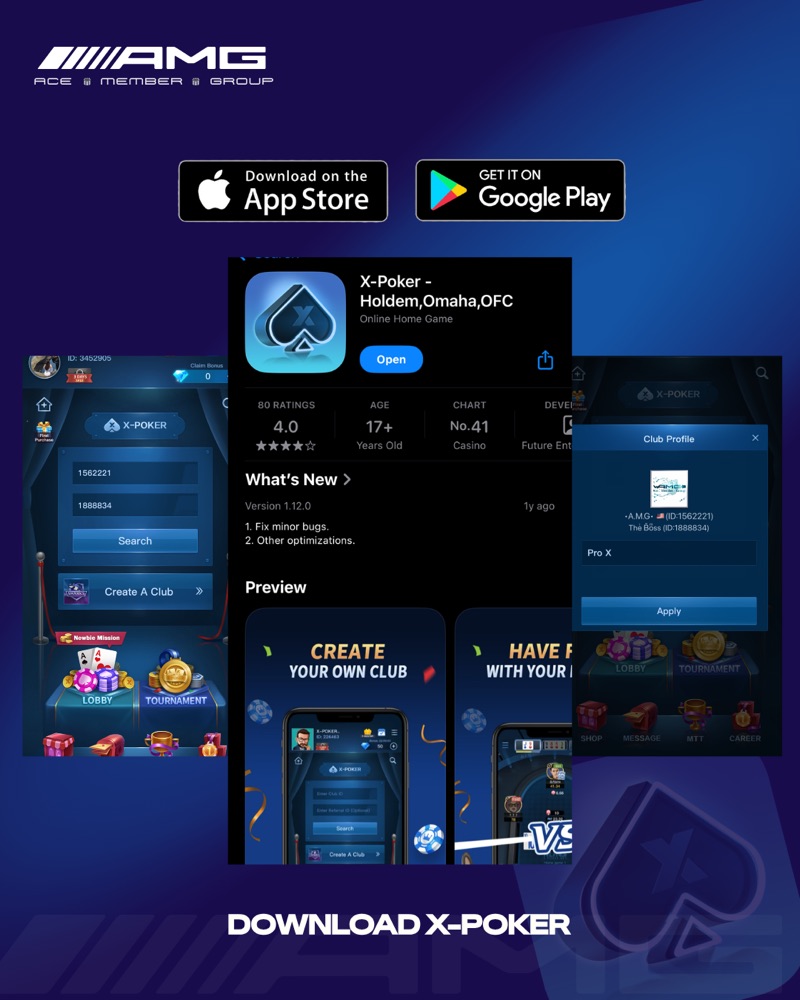
Install guide
Install on Windows.
- 01Download the official X-Poker installer from this page.
- 02Run the .exe. If SmartScreen appears, choose More info, check the publisher, then Run anyway.
- 03Follow the installer, then launch X-Poker from the Start menu.
- 04Open X-Poker, register, then enter Club ID 1562221 and Ref ID 1888834 and tap Apply.
Requirements
What you'll need
Install file
.exe from this page
Windows version
[Confirm minimum version]
Storage
[Confirm install size]
Display
[Confirm minimum resolution]
Connection
Broadband recommended
Other platforms
Playing on another device?
Installed?
Now join the club.
Enter Club ID 1562221 and Ref ID 1888834 in X-Poker, tap Apply, and message our concierge.
Club ID1562221
Ref ID1888834